You know it's here somewhere.
The tent, the passport, that one HDMI cable. Your stuff loves to hide — FoundIt! remembers where all of it lives.
One photo is all it takes.
Point at the thing, tap once. It's in your inventory before it can go missing.
Name it like you'd search for it.
“headlamp”, “camping” — a name and a tag or two, typed in seconds.
Every thing gets a home.
Pick the bin it lives in and slap the bin's QR code on the box. Item counted.
Months later, 6 a.m.
Packing the car for the trip — you know exactly where to ask.
!
Right where you left it — Garage — Shelf A.
 Free · iPhone & iPad · No account
A whole home inventory, in your pocket
No spreadsheets, no label maker, no subscription. Just your camera and a couple of taps.
Photograph items & places
Snap a photo of the item and a photo of where it's stored — a shelf, drawer, bin, or whole room.
Tag & describe
Give each item a name, an optional description, and any number of extra tags so it's easy to recall.
Assign a location
Pick an existing bin or create a new one — with its own photo — right from the item screen.
Search by tag
Type a tag, name, or description and instantly see the item and exactly which bin it lives in.
Printable bin QR codes
Generate a QR for any bin, stick it on the box, and scan it to jump straight to that bin's contents.
Two fast capture flows
Go item-first, or open a bin and rattle off every item inside it with “Save & add another.”
How FoundIt! works
From “where did I put that?” to “found it” in under a minute.
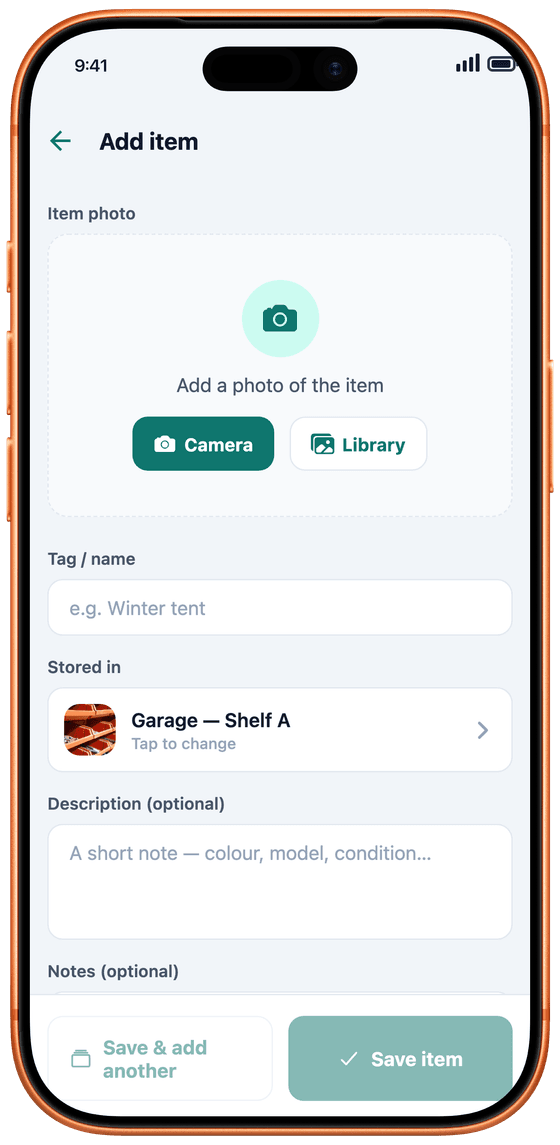 1
Snap it
Take a quick photo of the item you want to keep track of.
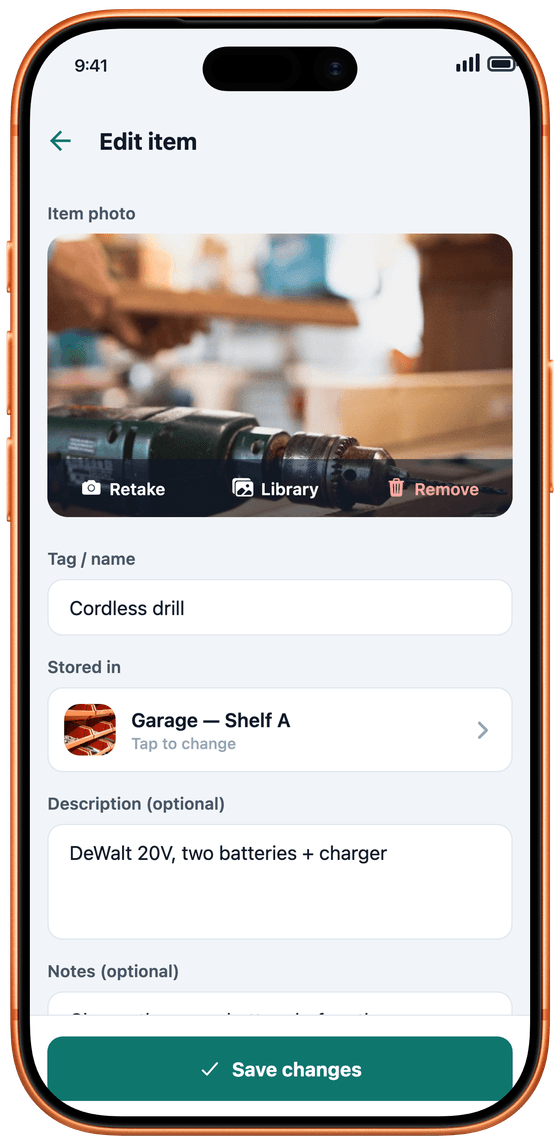 2
Tag it
Add a name and a tag or two — “winter tent”, “passport”, “HDMI cable”.
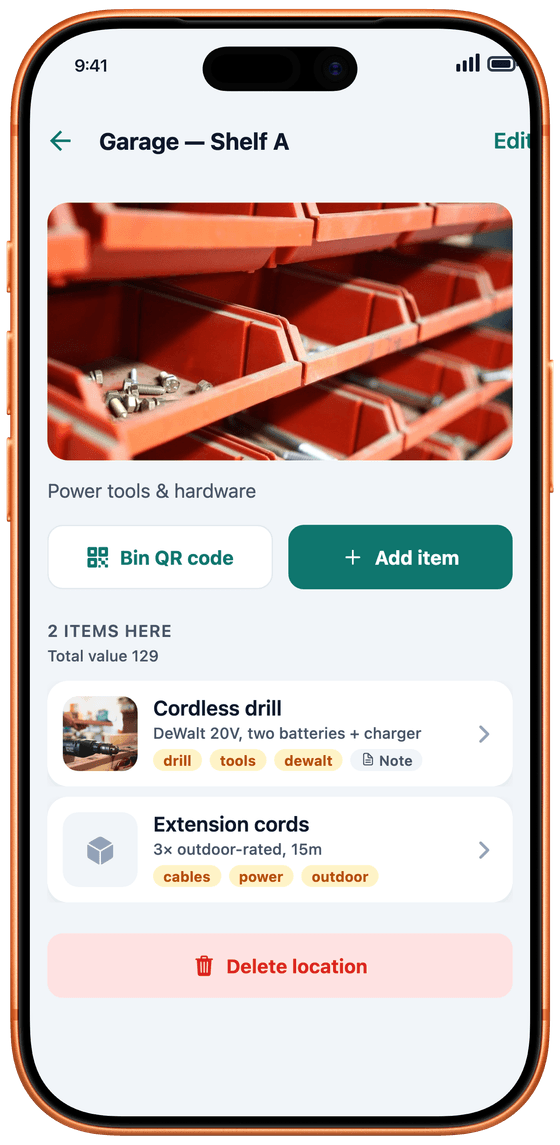 3
Store it
Say which bin it lives in, or make a new one and photograph the spot.
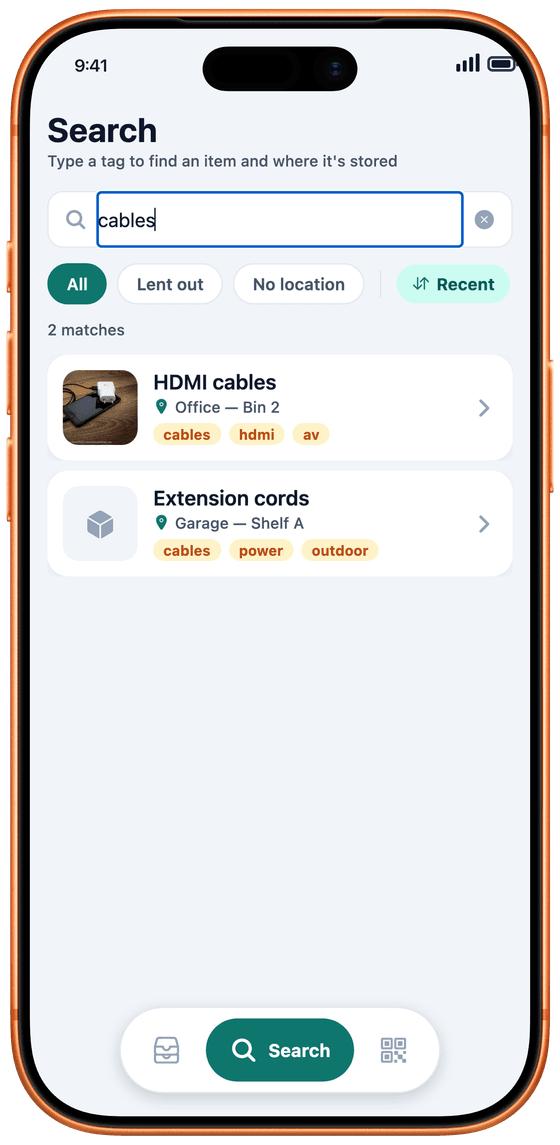 4
Find it
Later, search the tag or scan the bin's QR code to see exactly where it is.
Snap, tag, store — then just find it
The whole flow, ten seconds flat.
Your stuff is nobody's business but yours
FoundIt! is built to be completely local. There are no accounts, no servers, and no cloud sync — which means a catalogue of everything you own never leaves your pocket. Delete the app and the inventory is gone with it.
Stored on your phone
Photos are copied into the app's private storage; your inventory lives in on-device storage — nowhere else.
No cloud, no APIs
Nothing is uploaded, synced, or sent to a server. There's no backend to breach.
No account, no tracking
No sign-up, no email, no ad SDKs. We can't see your stuff because it never leaves your device.
Frequently asked questions
Stop hunting. Start finding.
Give yourself a searchable, photographic memory of everything you own — right on your iPhone, completely private.
iPhone & iPad · Requires iOS 16+ · No account required